ChatGPT for Accountants: How to Use AI in Google Workspace
Accountants can use ChatGPT in Google Sheets, Docs, and Gmail to cut report writing, formula work, and client emails from hours to minutes.

Accounting runs on spreadsheets, documents, and emails. And most of that work is repetitive: the same report templates every month, the same formula logic applied to new data, the same polite-but-firm tone in client emails about outstanding invoices.
ChatGPT for accountants is not about replacing judgment. It handles the mechanical parts so you can focus on the analysis that actually requires a professional.
Here is how to use AI inside Google Workspace to cut that routine work down significantly.
How AI Tools for Accountants Work in Google Sheets
Google Sheets is where most accounting work happens. Formulas break. Data needs cleaning. Summary tables need building from scratch every quarter. AI changes each of those problems.
Writing Formulas Without Guessing
You know what you need the formula to do. Writing the exact syntax is the slow part. With GPT Workspace running inside Sheets, you describe the calculation in plain language and get working syntax back in seconds.
For example: “Write a formula that calculates the percentage change between column B and column C, and returns N/A if column B is zero.” You get a formula you can paste directly. No lookup table, no trial and error.
This works equally well for complex nested formulas, VLOOKUP replacements with XLOOKUP or INDEX/MATCH, and array formulas for multi-condition aggregation. If you want to go deeper on this, How to Use AI in Google Sheets walks through the full workflow.
Cleaning Messy Financial Data
Downloaded bank exports rarely arrive in a usable format. Column headers are wrong. Numbers are stored as text. Dates are inconsistent. Asking AI to write a cleaning formula or a sequence of steps to normalize the data is faster than doing it manually.
Paste a few example rows into the chat, describe what the clean version should look like, and get the formula or step-by-step instructions to get there.
Building Summary Tables Fast
Pivot table logic can be replicated in formulas for reports that need to be formula-driven. Ask AI to build a monthly summary table from a raw transaction export and specify the grouping logic. You get the structure, and you verify the numbers. That split works well.
 Try GPT Workspace
Use ChatGPT, Claude, and Gemini directly inside Google Docs, Sheets, Slides, Gmail, and Drive. No tab switching.
Get Started FreeChatGPT for Accounting Reports in Google Docs
The monthly report is often the most time-consuming deliverable. The numbers are ready, but the narrative takes hours. Drafting the executive summary, explaining variances, writing context for each section.
AI handles the draft. You handle the accuracy check.
Drafting Month-End Summaries
Open the report doc, paste in your key figures, and ask: “Write an executive summary for this month-end report. Revenue was $142K, up 8% from last month. Expenses were $98K, down 3%. Highlight the variance and keep the tone factual and concise.”
The output is a usable draft in under a minute. Most of the time you adjust one or two sentences and move on. For a deeper look at this kind of workflow, see How to Use AI to Write a Google Docs Report in Half the Time.
Turning Data Into Written Explanations
Audit findings, budget variance analysis, tax preparation notes. These are all documents where you know the numbers but need to convert them into clear prose for a client or internal audience.
Paste the data. Describe the audience (client, CFO, audit committee). Ask for the written version. You review and verify.
Management Letters and Client Memos
Accounting firms send a lot of formal written communications. Audit management letters, recommendations letters, year-end tax summaries. These follow known structures.
Give AI the key points you need to communicate and the formality level, and it drafts the structure. You fill in the specific findings and numbers that require professional judgment.
AI for Accountants in Gmail: Client Communication That Does Not Take 20 Minutes
Client email is the category most accountants do not think about when it comes to AI tools. But if you send 10-15 client emails per day, and each one takes 5-8 minutes to write carefully, that adds up to over an hour of email work daily.
Responding to Payment and Invoice Questions
“My invoice shows $4,200 but I thought we agreed on $3,800” takes careful handling. You need to be polite, factual, and clear. AI drafts it. You verify the numbers and send.
The prompt is simple: “Write a professional email to a client asking about an invoice discrepancy. They think they owe $3,800 but our records show $4,200. I need to explain that the difference is the late filing fee agreed to in their engagement letter dated March 15.”
The 30 AI Prompts for Writing Better Emails in Gmail article has 30 prompt templates directly applicable here.
Payment Reminders That Get Paid
Late payment reminders are awkward to write. Too aggressive, and you damage the relationship. Too soft, and they ignore it.
With AI, you set the tone in the prompt: “Write a second payment reminder for an invoice 30 days past due. Keep the tone firm but professional, not threatening. The amount is $6,500.” You get a draft that hits the right register, then review and send.
Setting Up ChatGPT Inside Google Workspace for Your Accounting Practice
The most common setup is the Chrome extension, which runs inside every Google Workspace app. No new tools, no tab switching.
Step 1: Install GPT Workspace
Go to gpt.space and install the Chrome extension or the Google Workspace add-on. Both options add a sidebar to Docs, Sheets, Slides, and Gmail.
Step 2: Choose Your AI Model
GPT Workspace supports ChatGPT (GPT-4o), Claude, and Gemini. For accounting work, GPT-4o and Claude tend to handle numerical context and formal writing well. You can switch between models from the sidebar.
Step 3: Start With a Formula or a Draft
The best way to start is with a task you do repeatedly. Pick one formula you write manually every month. Try asking AI to generate it. Or pick one email type (like a payment reminder) and ask AI to draft it. The results are immediately useful and give you a benchmark for what the tool can do.
For more detail on the full installation process, see How to Install GPT Workspace.
ChatGPT Prompts for Accountants Worth Keeping
Here are six prompts that accounting professionals use regularly. Copy and adjust to your situation.
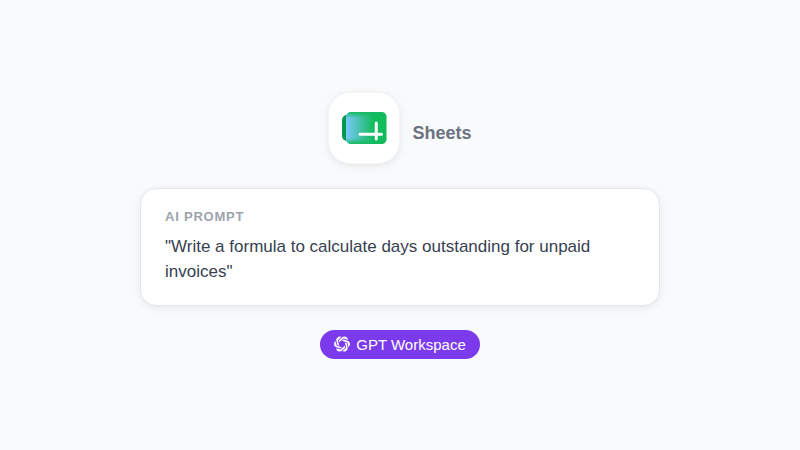
Formula prompt: “Write an Excel/Sheets formula that calculates days outstanding for invoices. Column A has invoice date, Column B has payment date or is blank if unpaid. Return the number of days outstanding, or today’s date minus invoice date if column B is blank.”
Report narrative: “Write a 150-word executive summary for a Q1 financial report. Revenue: $480K (up 12% YoY). Operating expenses: $310K (up 6% YoY). Net margin: 35%. Highlight the margin improvement.”
Budget variance explanation: “Write a one-paragraph explanation for a 15% overage on the marketing budget. The overage was caused by an unplanned trade show in March and a social media campaign that ran 3 weeks longer than planned.”
Late payment reminder: “Write a firm but professional 60-day overdue payment reminder for a $9,200 invoice. The client is a small business owner. Keep the relationship in mind.”
Audit inquiry response: “Write a professional response to an auditor’s request for documentation on our accounts payable reconciliation process. State that we are compiling the documents and will provide them within 5 business days.”
Year-end summary for a client: “Write a year-end tax summary cover letter for a small business client. Their net income was $215K, their effective tax rate was 22%, and they should expect a $12,000 tax payment. Use plain, clear language.”
FAQ
Conclusion
The accounting tasks that take the most time are often the most predictable: the same formula structures, the same report sections, the same email types month after month. ChatGPT for accountants in Google Workspace targets exactly those tasks.
Install GPT Workspace and start with whichever task you do most often. The returns are immediate, and the review time stays short because you know what correct output looks like.