30 AI Prompts for Writing Better Emails in Gmail
30 tested AI prompts for writing professional emails in Gmail with GPT Workspace — cold outreach, follow-ups, internal communication, and formal business emails. Includes the perfect prompt formula.

There is a quiet productivity problem hiding in most people’s inboxes. Writing emails — the kind that actually get responses — takes more time than it should. You know what you need to say, but getting the tone right, keeping it concise, and making it not sound like everyone else’s template requires effort that compounds across dozens of emails a day. AI email writing with Gmail prompts is one of the highest-leverage uses of AI tools available right now, precisely because email is so universal and so consistently underperforming.
This guide gives you 30 tested prompts across four email categories — cold outreach, follow-ups, internal communication, and formal business correspondence — along with the structural formula that makes AI email prompts reliable rather than hit-or-miss. All prompts are designed for use with GPT Workspace, which embeds AI directly inside Gmail so you never have to leave your inbox.
Why AI-Written Emails Perform Better
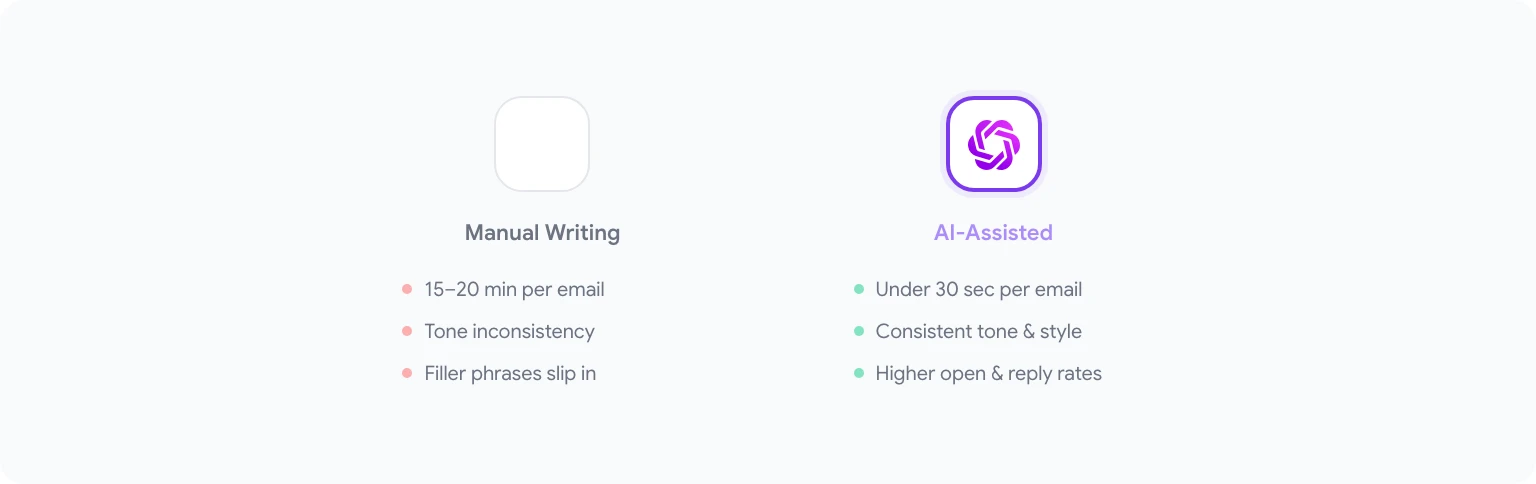
The claim that AI-written emails perform better needs a qualifier: AI-directed emails perform better. The distinction matters. Dropping a context-free prompt into ChatGPT and copying the output produces emails that read like templates, because they are. What works is using AI as a skilled drafter: you provide the context, constraints, and intent; the AI handles structure, tone, and language precision.
The practical advantages are real. AI consistently produces cleaner sentence structure, eliminates filler phrases that erode credibility (“just following up to touch base”), and writes subject lines with higher open rates because it can generate and compare multiple options in seconds. For non-native English speakers, the quality improvement is especially significant — the output reads naturally in ways that are hard to achieve without a professional editor.
For cold outreach specifically, AI helps solve the personalization-at-scale problem. Rather than choosing between generic blasts and hours of manual writing, you can use a prompt that takes specific prospect information and generates a tailored email in under 30 seconds.
If you want a broader look at how AI transforms Google Workspace workflows beyond email, AI productivity hacks for Google Workspace covers the full picture.
How GPT Workspace Works Inside Gmail
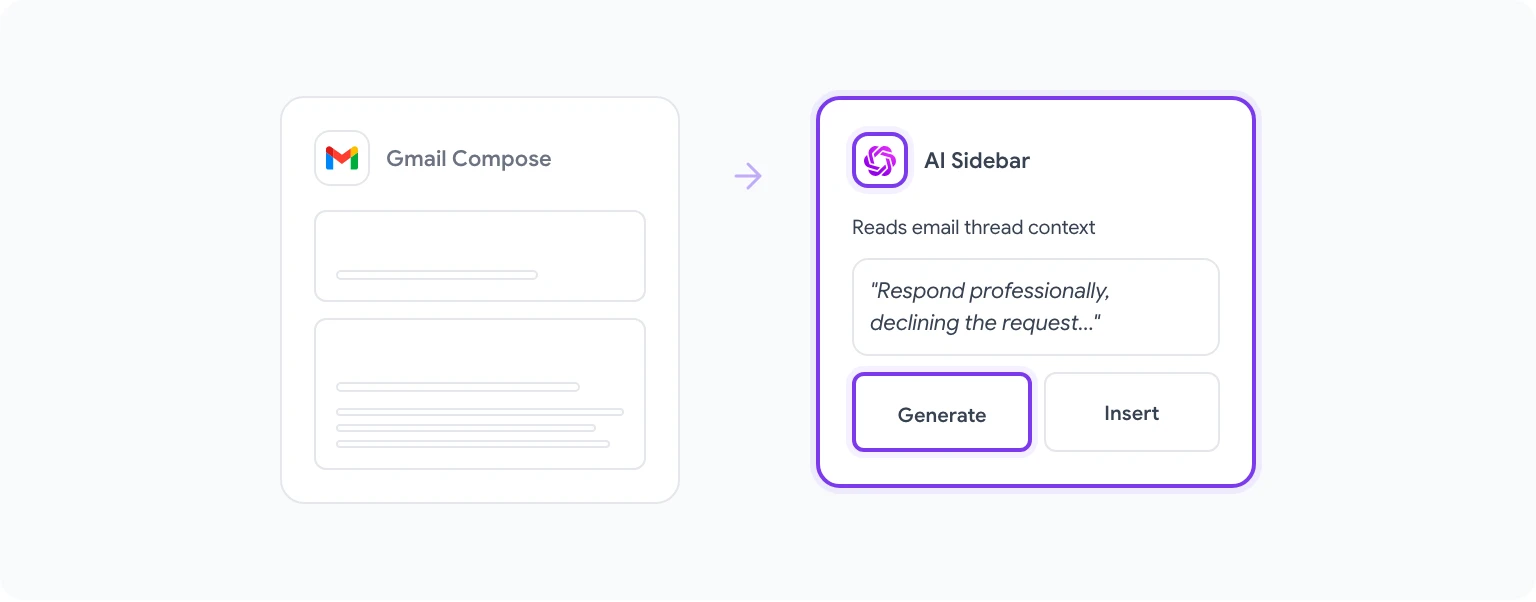
GPT Workspace is a Chrome extension that adds an AI sidebar directly into Gmail. When you’re composing or replying to an email, the sidebar stays open on the right — you can write a prompt, generate a draft, review it, and insert it into the compose window without switching tabs or copying text between tools.
The sidebar reads the context of the email you’re replying to, so you can prompt it to “respond to this email professionally, declining the request but keeping the relationship warm” — and it will use the actual email thread as input. This context-aware generation is what separates GPT Workspace from pasting emails into a separate chat interface.
Setup takes about two minutes. Full instructions are in the GPT Workspace installation guide. Once installed, the sidebar appears automatically in Gmail.
The extension supports multiple AI models — GPT-4o is the default and handles email well. For very formal or sensitive correspondence, Claude 3.5 Sonnet often produces more nuanced tone calibration. You can switch models mid-session depending on the email type.
The Perfect Email Prompt Formula

A well-constructed email prompt has five components. Miss any one of them and the output quality drops noticeably.
Role — Tell the AI who you are and the professional context. “I’m a B2B SaaS sales manager at a mid-size tech company” gives the AI enough context to calibrate formality, vocabulary, and assumed knowledge.
Goal — State exactly what the email needs to accomplish. Not “write a follow-up email” but “write a follow-up email that moves this deal to a scheduled call this week.”
Recipient — Describe who is receiving the email. Their role, their likely priorities, and any relevant context about the relationship. “The recipient is a VP of Operations at a logistics company we’ve been talking to for six weeks.”
Constraints — Specify tone, length, and anything to avoid. “Keep it under 100 words, professional but not stiff, no sales jargon, no bullet points.”
Context — Include relevant background. What happened in the last interaction? What problem is being addressed? What does the recipient already know?
A prompt using this formula takes 60 seconds to write and produces an email that you can use almost verbatim. A prompt without it produces something you’ll spend five minutes editing.
10 Prompts for Cold Outreach Emails
These prompts assume you’re writing a first-contact email to someone who doesn’t know you.
1. Founder outreach to a target company “I’m co-founder of a B2B data tool. Write a 90-word cold email to a Head of Analytics at an e-commerce company with 200+ employees. Focus on one specific pain point: reporting that takes too long to compile manually. End with a single, low-friction ask: 15 minutes this week or next. Professional tone, no buzzwords.”
2. Sales outreach with a specific trigger event “Write a cold outreach email that references the recipient’s company just raised a Series B. I sell enterprise HR software. Keep it under 100 words. Acknowledge the milestone, connect it to a relevant hiring challenge, and ask for a brief call. Tone: direct and peer-level, not pitchy.”
3. Partnership request email “Write a cold email proposing a content partnership. I run a marketing agency, they run a SaaS newsletter with 50,000 subscribers. Explain the mutual benefit clearly: we give them original case studies, they give us a featured placement. Under 120 words. Confident but not presumptuous.”
4. Consultant reaching out to a referral “Write a warm-cold email to a contact who was referred to me by a mutual colleague. I’m an independent financial consultant. The referral source said the contact is looking at options for their company’s tax structure. Use the mutual colleague’s name naturally, don’t over-explain my services, end with a conversational ask to chat. 80–100 words.”
5. Job outreach email to a hiring manager “Write a cold email to a VP of Engineering about an interest in joining their team — not applying through the standard process but reaching out directly. I have 8 years in backend engineering and recently shipped a distributed systems project. Keep it to 3 short paragraphs: why I’m reaching out, one specific reason I want to work there, and a simple ask. Not desperate, not over-eager.”
6. Investor outreach (early-stage) “Write a cold email to an angel investor who invests in climate tech. I’m raising a pre-seed round for a carbon tracking SaaS. Under 120 words. Lead with the problem clearly, one sentence on traction, one sentence on the ask (30-minute call to share the deck). No jargon, no hype.”
7. PR pitch to a journalist “Write a cold pitch email to a tech journalist who covers AI productivity tools. I have a data story: our tool helped 200 teams reduce email time by 40% based on a recent survey. Lead with the story angle, not the product. Under 100 words. Journalist-friendly tone — treat them as a peer, not a target.”
8. Event speaker invitation “Write an invitation email to a senior marketing executive to speak at our annual conference. 300 attendees, focused on growth marketing. Mention that we can accommodate their travel and offer an honorarium. Flattering but brief — they get a lot of requests. Under 150 words.”
9. Cold outreach to a potential client after meeting at a conference “Write a post-conference cold follow-up email. We met briefly at a SaaS conference last Thursday and had a 5-minute conversation about their team’s onboarding challenges. I didn’t pitch anything then. Now I want to reconnect and propose a short call. Reference the conversation naturally, not as a sales move. 80–100 words.”
10. Agency new business email to a warm lead from LinkedIn “Write an email following up on a LinkedIn connection request I sent last week that was accepted but not responded to. I run a UX research agency. The recipient is a product director at a fintech startup. Keep the tone conversational and low-pressure. One sentence on what we do, one relevant observation about their product from their website, a gentle ask. Under 100 words.”
8 Prompts for Follow-Up Emails
Follow-ups fail because they’re either too passive (“just checking in”) or too aggressive. These prompts hit the right balance.
11. Sales follow-up after a demo “Write a follow-up email 3 days after a product demo. The prospect seemed genuinely interested but said they need to discuss with their team. Recap the two pain points they mentioned specifically: manual reporting and slow approval workflows. Include a soft next-step ask: do they want me to send a summary they can share internally? Under 120 words.”
12. Follow-up after sending a proposal “Write a follow-up email 5 business days after sending a proposal with no response. Professional, no guilt-tripping, no ‘per my last email.’ Ask if they have questions, offer to adjust any scope items if needed, and leave the door open without pressure. Under 80 words.”
13. Networking follow-up after an introduction “Write a follow-up email 2 days after being introduced via email to a potential business contact. The introduction thread is included. Reply to the thread, acknowledge the introducer briefly, and suggest a 20-minute call to exchange context on what we’re each working on. Warm but efficient. Under 100 words.”
14. Re-engagement email to a dead lead “Write an email to a prospect we last spoke with 4 months ago. The deal went cold — they said they weren’t ready to move forward. Don’t apologize for the silence, don’t make it awkward. Lead with a genuine reason to reach out now: we launched a feature that directly addresses the problem they mentioned. Keep it to 3 sentences plus a call-to-action.”
15. Follow-up after a job interview “Write a thank-you follow-up email after a second-round interview for a Product Manager role. Express genuine enthusiasm (specifically reference the conversation about their roadmap priorities), reiterate your strongest qualification for the role, and close with a simple professional note. Under 150 words. Don’t be sycophantic.”
16. Payment follow-up to a client (overdue invoice) “Write a polite but firm payment reminder email for an invoice that is 14 days overdue. This is a long-term client relationship. Don’t be cold or transactional, but be clear that you need payment by a specific date. Offer to help resolve any issues on their end if something is holding things up. Under 100 words.”
17. Follow-up after submitting a guest post pitch “Write a follow-up to a guest post pitch I sent to a SaaS blog 10 days ago with no response. One short paragraph. Briefly restating the topic, asking if they’re still accepting pitches, offering an alternative angle if needed. Polite and professional, not needy.”
18. Customer success re-engagement email “Write a re-engagement email from a customer success manager to a customer who hasn’t logged into the platform in 30 days. Acknowledge the gap without making them feel bad, highlight one new feature they haven’t used yet that’s relevant to their use case (improved reporting dashboard), and offer a brief check-in call. Under 120 words.”
6 Prompts for Internal Communication
Internal emails often get less attention than external ones, but they set the tone for team culture and operational clarity.
19. Project status update to leadership “Write a weekly project status email to the executive team. Project: website redesign. Status: on track. Key update this week: completed user testing, three UX changes flagged. Risk: one vendor deliverable delayed by 5 days, may shift launch by one week. Action needed: approval on revised timeline. Clear, concise, no filler. Under 150 words.”
20. Announcing a process change to the team “Write an internal announcement email about a new expense reimbursement process. The change: starting next month, all expenses over $500 require pre-approval. Tone: matter-of-fact, not apologetic but not authoritarian. Explain why in one sentence, tell them exactly what changes, link to the updated policy. Under 120 words.”
21. Difficult feedback email to a direct report “Write a constructive feedback email to a direct report about missing a deadline without communication. This is the second time it’s happened. The tone should be professional and direct — not angry, not softened to the point of being unclear. Be specific about the impact, state what needs to change, and close by asking them to discuss. Under 150 words.”
22. Cross-team collaboration request “Write an email to a colleague in another department requesting their team’s input on a product spec. They’re busy. Frame it as a short ask: 30 minutes of one person’s time to review and comment on a doc. Explain why their team’s perspective matters to the outcome. Friendly, peer-level, not demanding. Under 100 words.”
23. Meeting recap with action items “Write a meeting recap email from a 45-minute strategy session. Three decisions were made: launch date confirmed for Q3, marketing to lead GTM communications, product to deliver beta access by April 15. Four action items assigned: [list them]. Send this to all 8 attendees. Clear, structured, no narrative padding.”
24. Declining a request from a colleague professionally “Write an email declining a request from a colleague to take on additional project work given my current capacity. Decline clearly without over-explaining, acknowledge the importance of their project, and suggest an alternative (they check with the team lead about reassigning or adjusting scope). Keep the relationship intact. Under 100 words.”
6 Prompts for Formal Business Emails
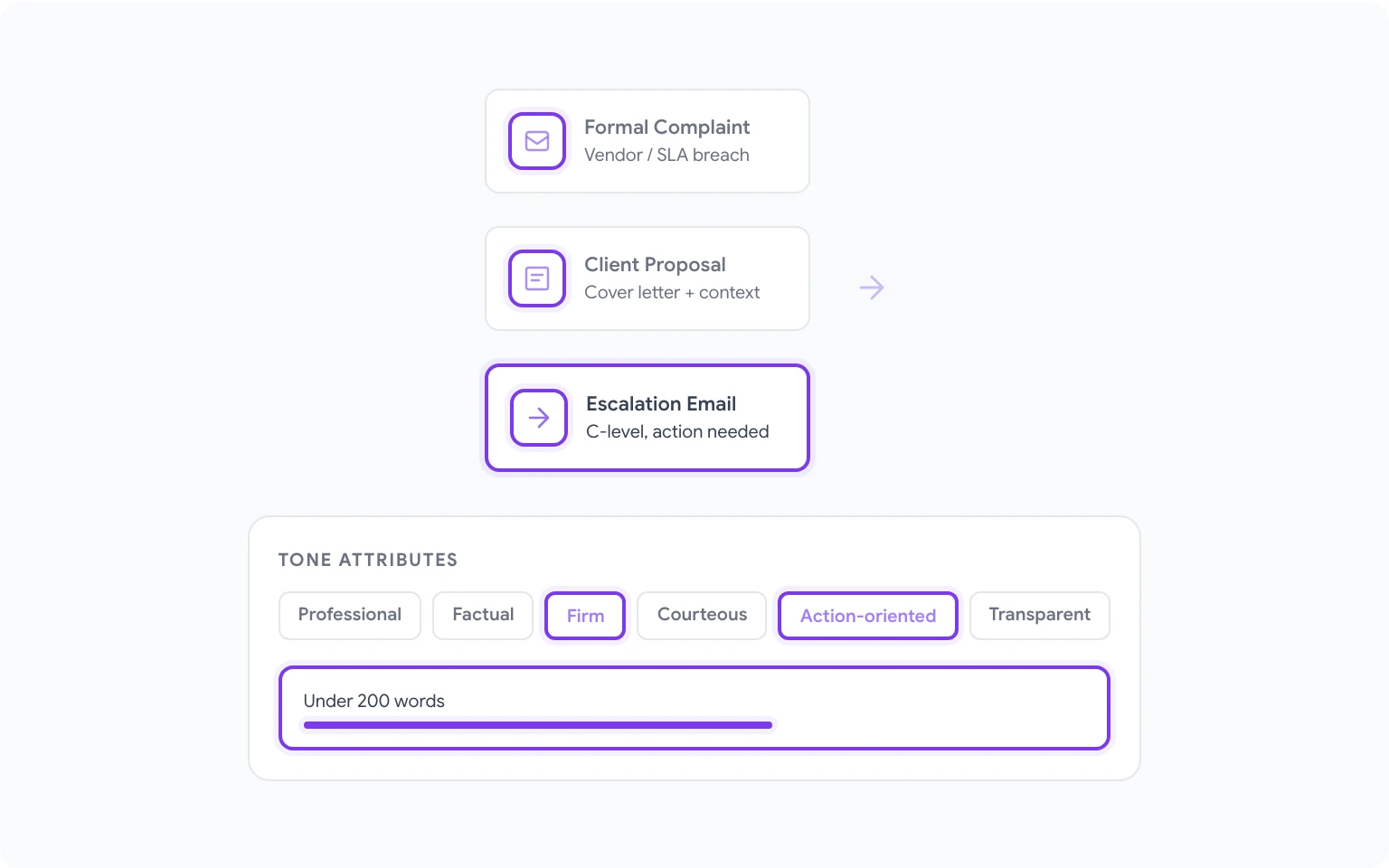
These prompts cover high-stakes correspondence where tone and precision are critical.
25. Formal complaint to a vendor “Write a formal complaint email to a SaaS vendor about a service outage that affected our operations for 6 hours last Wednesday. We lost an estimated $X in productivity. Request: a formal root cause analysis, a credit applied to our account, and a written SLA commitment for future incidents. Professional, factual, firm. No emotional language. Under 200 words.”
26. Client proposal cover letter “Write a formal cover email accompanying a detailed project proposal. The proposal is for a 6-month digital transformation project for a financial services firm. The email should briefly contextualize the proposal, confirm our understanding of their goals, express confidence in the engagement, and direct them to the specific sections most relevant to their stated priorities. Under 150 words.”
27. Terminating a vendor contract “Write a formal contract termination notice email to a vendor, giving 30 days notice per our agreement. Cite the contract clause number. Briefly state the reason (services no longer needed due to internal restructuring — not performance-related). Thank them for the work delivered. Request confirmation of receipt and a transition checklist. Professional and courteous. Under 150 words.”
28. Board communication: quarterly update “Write a quarterly business update email to the board of directors. Key metrics: revenue up 18% YoY, customer churn at 4.2% (down from 5.1% last quarter), headcount now at 87. Risks flagged: pipeline slower than projected entering Q2. Tone: confident but transparent, executive-level. No bullet lists — flowing prose. Under 200 words.”
29. Escalation email to a senior stakeholder “Write an escalation email to a C-level executive about a cross-department blocker that has stalled a project for two weeks. Be specific: the finance team hasn’t approved the budget release for Project X, the delay has pushed our go-live date by three weeks, and we need a decision by Friday. Polite, direct, action-oriented. Don’t cc the finance team. Under 120 words.”
30. Formal introduction of a new team member to clients “Write a formal introduction email announcing that Sarah Chen is taking over as the new account manager for a key client. Acknowledge the transition, briefly highlight her background and relevant experience, confirm continuity of service, and provide her contact details. From me (previous account manager) or from the company generally — either works. Professional, warm, brief. Under 150 words.”
Customizing AI Emails for Your Voice
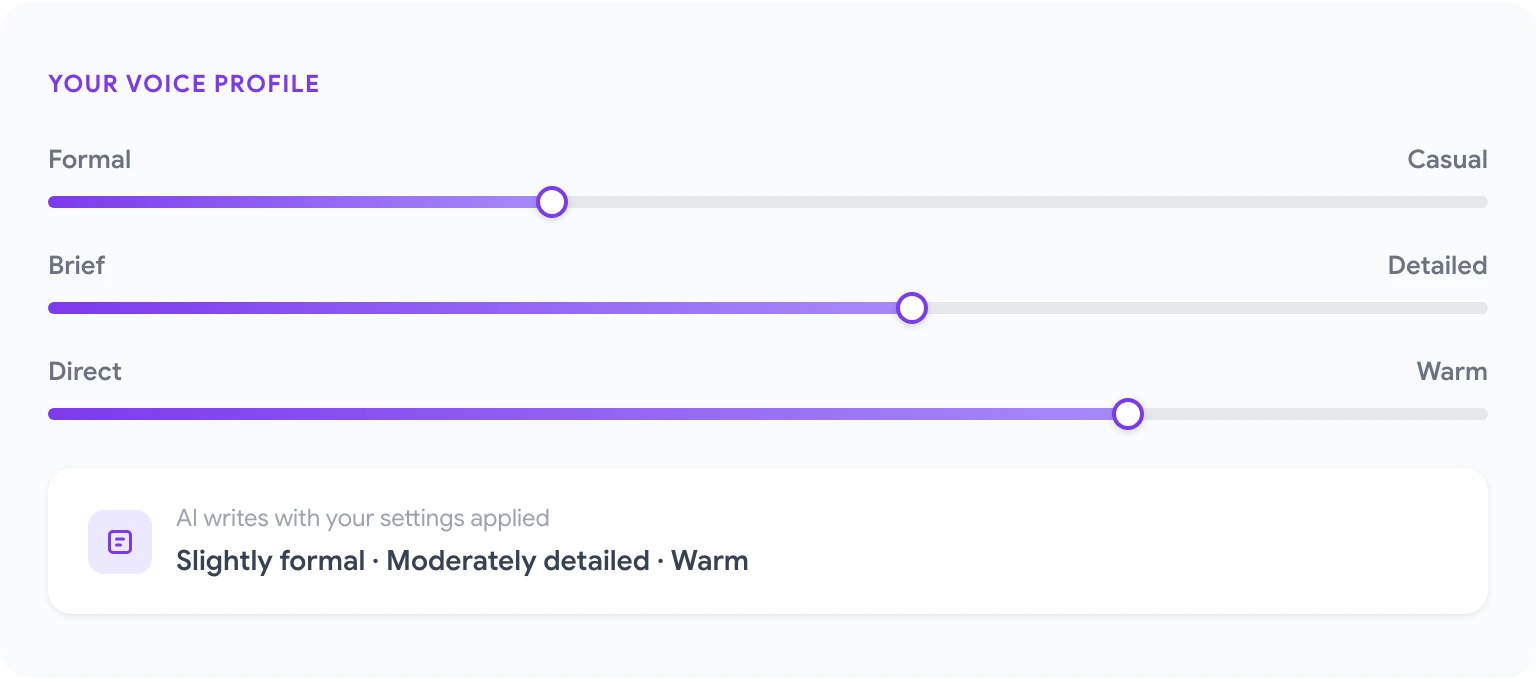
One concern that comes up repeatedly: “AI emails don’t sound like me.” That’s a solvable problem with the right prompts, not an inherent limitation.
The most effective approach is to give GPT Workspace a few examples of your actual writing before asking it to generate something. “Here are three emails I’ve sent in the past. Match this tone and style.” The AI will internalize your patterns — sentence length, degree of formality, whether you use bullet points or prose, how you open and close — and apply them to new output.
If you don’t have examples handy, describe your style explicitly: “I tend to write short sentences, use plain language, skip pleasantries and get to the point quickly, and close with a single clear ask.” That level of specificity produces dramatically better results than a generic tone instruction.
For sales-specific email workflows and templates, the GPT Workspace for sales teams guide covers pipeline management, outreach sequences, and CRM-connected use cases in more depth.
Common AI Email Mistakes to Avoid
Using the output without reading it. AI makes subtle errors — wrong names, misremembered context from earlier in a conversation, awkward transitions. Always read the full email before sending.
Generic subject lines. Most prompts don’t specify subject lines, so AI defaults to safe, generic options. Always ask explicitly: “Generate three subject line options for this email, one direct, one curiosity-driven, one question-based.”
Over-explaining in the prompt and under-editing the output. A detailed prompt produces better raw output, but that doesn’t mean the email is finished. Treat AI output as a strong first draft, not a final product. One quick editing pass usually makes the difference between good and excellent.
Losing specificity in the name of efficiency. The temptation with AI is to run one prompt for twenty variations. Resist it. A prompt that generates 20 cold emails all at once produces 20 mediocre emails. A prompt that generates one well-targeted email — with specific context about that recipient — produces something that actually gets replies.
Forgetting the subject line entirely. The email body can be perfect and it won’t matter if the subject line doesn’t earn an open. Always treat the subject line as a deliverable equal in importance to the body.
For more ways to get productivity gains across your Google Workspace apps, best ChatGPT prompts for Google Workspace covers prompts for Docs, Sheets, Slides, and Drive in addition to Gmail. And to get GPT Workspace running in your Gmail account in the next two minutes, gpt.space has everything you need to get started.
FAQ
Does GPT Workspace read my existing emails? GPT Workspace reads the email thread currently open in your compose or reply window only when you actively use the AI sidebar. It does not scan or index your inbox. Each prompt is processed in the context of your current session only.
Can I use these prompts directly in ChatGPT? Yes, though without the Gmail context integration you’ll need to paste the email thread or relevant background manually. GPT Workspace makes the process faster by reading thread context automatically, but the prompt structures work in any AI interface.
How do I handle tone for different industries? Specify it explicitly in the prompt. Legal and finance tend to require formal register and passive constructions. Tech and creative sectors tolerate casual language and directness. If you’re uncertain, ask the AI: “What tone level is appropriate for a first-contact email to a senior partner at a law firm?” — the AI will advise you.
Will recipients know the email was AI-assisted? Not if you use the prompts correctly. AI-generated emails that are edited and personalized are indistinguishable from well-written human emails. The tell is usually over-polished language or slightly off-tone filler phrases — which editing removes in under a minute.
Can I save these prompts inside GPT Workspace? Yes. The GPT Workspace sidebar has a prompt library where you can save and name frequently used prompts. For a sales team, this means everyone on the team has access to the same tested prompt templates without rebuilding them each time. The GPT Workspace installation guide covers how the prompt library works.