












Explore GPTs: A Complete Guide to OpenAI's Custom ChatGPTs in 2026
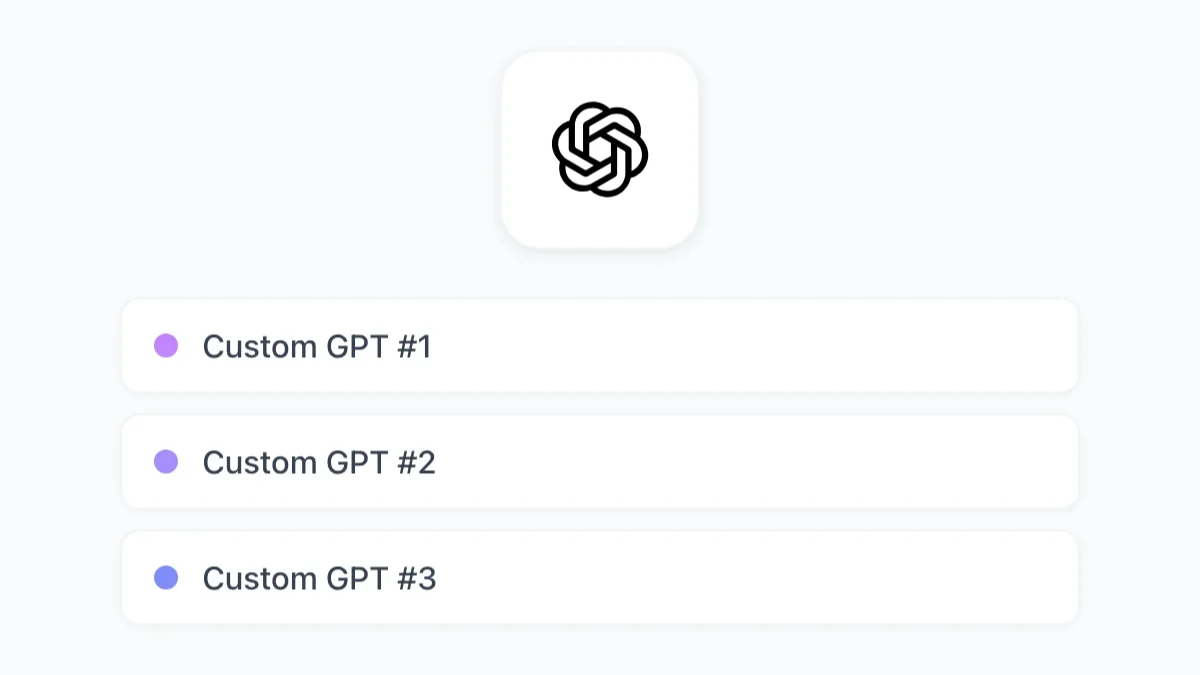
Explore GPTs in 2026: how to find them in the GPT Store, how to build your own, and how custom GPTs compare to GPT Workspace agents for Google Workspace.
Bring ChatGPT, Claude, and Gemini into Google Docs, Sheets, Slides, Gmail, and Drive. One AI agent built around how you actually work.
| A | B | C | |
|---|---|---|---|
| 1 | Product | Q1 | Q2 |
| 2 | Enterprise | $142k | $189k |
| 3 | Pro | $87k | $103k |
| 4 | Starter | $34k | $41k |
| 5 | Teams | $62k | $78k |
| 6 | Education | $21k | $28k |
| 7 | N. America | $298k | $342k |
| 8 | Europe | $176k | $201k |
| 9 | Asia Pacific | $94k | $112k |
| 10 | Total | =SUM(B2:B9) | =SUM(C2:C9) |
| 11 | |||
| 12 | |||
| 13 | |||
| 14 | |||
| 15 | |||
| 16 | |||
| 17 | |||
| 18 |
The ChatGPT Chrome extension that follows you everywhere. Summarize any page, ask questions, translate — without leaving the tab you're already in.
Install the Chrome ExtensionGPT for Gmail reads your email thread and writes replies that sound like you wrote them — not like a chatbot did. Right inside Gmail, no switching tabs.
GPT for GmailQ3 Budget Review
Hi team, please review the attached Q3 budget...
Product Launch Timeline
Can we sync up on the launch dates for...
Design Assets Ready
The final designs for the landing page are...
GPT for Google Docs generates, rewrites, and polishes your content as you type. Full documents, bullet points, 30+ languages — all inside the doc.
GPT for DocsGPT for Google Slides turns a prompt into a full presentation — layouts, content, and visuals already placed. Just review and hit present.
GPT for SlidesGPT for Google Sheets writes formulas, cleans data, and generates content at scale — right inside your spreadsheet, no tab-switching needed.
Learn more| Feedback | Feedback Type |
|---|---|
| I recently bought a new TV from this el... | |
| I ordered a new laptop from your websi... | |
| The laptop I bought keeps freezing. I've... |
Simple, transparent pricing
Start free. Upgrade when you need more power. One subscription unlocks ChatGPT, Claude, and Gemini across Docs, Sheets, Slides, Gmail, and Drive.
Testimonials
From Sheets analysts to Gmail power users — real reviews from real professionals
So helpful and convenient! We love that the chat box is right there in our Google doc that we're working on. We're able to get assistance without even leaving the doc. And ChapGPT is able to access what we're working on straight from the doc so we don't have to explain it. And since there are different team members who access documents, each one is able to look back at the chat history to see what has been done. It's great - so far, we love love love it.
GPT in Google Workspace was Amazing at creating a Professional Tracking sheet with Data Entry Form, all from my PDF copy of our daily rounds sheet. Now if I can just get enough free points to complete the project, it would be Awesome!
This is amazing. I am able to focus on the questions I have to be able to push my project ahead full throttle. With GPT, all my miniscule, yet mind numbing questions are quickly put to ease so I can get back on track!
This extension is extremely useful when I'm composing emails. Love this!
Really helps complete tasks that I dread such as, organization, and creating spreadsheets. Love it!
Amazing app, Loved it. I recommend everyone to try it out.
Excellent addition to docs, and a useful tool providing you have credits
Latest
Read our latest articles and guides
Explore GPTs in 2026: how to find them in the GPT Store, how to build your own, and how custom GPTs compare to GPT Workspace agents for Google Workspace.
Google Workspace Studio brings no-code AI agents to Workspace at Cloud Next '26. A head-to-head comparison with GPT Workspace for everyday Google users.
Learn how to use ChatGPT directly inside Google Docs with GPT Workspace. Step-by-step guide covering installation, text generation, editing, summarizing, and translation — no tab switching needed.
Enterprise-grade security
GPT Workspace never stores your Google Docs, emails, or spreadsheets. 7 million users trust us because we built privacy into every layer — not as a checkbox, but from day one.
Google Cloud Application Security Assessment Certified
Certified information security management
Full compliance with EU data protection regulations
Verified partner in the GCP ecosystem
GPT Workspace processes your Google Docs, emails, and spreadsheets in real time without storing them on our servers. Your documents are never saved, never indexed, never shared.
All data is encrypted in transit with TLS 1.2 and at rest with AES-256. Your information travels protected from your browser to our secure Google Cloud infrastructure.
We use SOC 2-compliant AI providers. Your business data, emails, and documents are never used to train or fine-tune any AI model — by us or anyone else.
7M+ users trust GPT Workspace · 4.9/5 on Google Workspace Marketplace · Trusted by teams at Google, Harvard, Netflix, Stripe, GitHub
Everything you need to know about ChatGPT in Google Workspace
GPT Workspace brings ChatGPT, Claude, Gemini, and other leading AI models directly into Google Docs, Sheets, Slides, Gmail, and Drive. It's available as a Chrome Extension and as a Google Workspace Add-on — no copy-pasting, no tab-switching, just AI where you already work.
Yes. GPT Workspace has a free plan that gives you access to AI features across all Google Workspace apps — no credit card required. Paid plans unlock higher usage limits, advanced AI models like GPT-5.3 and Claude Opus, and team billing.
GPT Workspace supports ChatGPT (GPT-5.3), Claude, Gemini, Grok, DeepSeek, and more. You can switch between them anytime — use the fastest model for quick emails, the most powerful one for complex analysis, or let GPT Workspace pick automatically.
Two ways: install the GPT Workspace Chrome Extension from the Chrome Web Store to get AI on any website, or add it as a Google Workspace Add-on from the Marketplace to use it inside Docs, Sheets, Slides, and Gmail. Either way takes under a minute.
Your data never leaves your browser in a stored form. GPT Workspace processes your documents and emails in real time and never saves them on our servers — and never uses them to train AI models. We're CASA Tier III certified, SOC 2 compliant, and GDPR compliant. Teams at Google, Harvard, and Netflix trust us with their daily work.
Yes. Team and enterprise plans include centralized billing, admin controls, and shared usage dashboards. Over 20,000 professional teams — from startups to Fortune 500s — use GPT Workspace as their standard AI layer across Google Docs, Sheets, Gmail, and more.
Use the =GPT() formula to generate content, classify data, extract information, write summaries, or translate text — directly in your spreadsheet cells. It works across thousands of rows at once, so you can automate bulk tasks that used to take hours.
In Google Docs, GPT writes, rewrites, summarizes, and translates content — full documents or single paragraphs, in 30+ languages. In Gmail, it reads the thread context and drafts replies that actually sound like you, not like a generic AI. Both work without leaving the app.
Free to install
Join 7M+ professionals who write faster in Docs, automate Sheets formulas, and draft Gmail responses in seconds.
By installing GPT Workspace, you agree to the
Terms of Service and Privacy Policy