ChatGPT for Freelancers: Use AI in Google Workspace to Win More Clients
How freelancers use ChatGPT in Google Workspace to write proposals, respond to clients, track projects in Sheets, and bill faster. Practical guide for 2026.

Freelancing is sold as freedom. The reality is that most freelancers spend 30-40% of their time on work that doesn’t pay: writing proposals, following up on invoices, updating clients, and drafting scope documents. That’s 12-16 hours a week of unpaid admin in a 40-hour workweek.
AI doesn’t replace the skill that makes you worth hiring. But it cuts that admin overhead by more than half. GPT Workspace puts ChatGPT, Claude, and Gemini directly inside Google Docs, Sheets, Slides, and Gmail. You stay in the tools you already use. No tab switching.
This guide covers the specific workflows where AI saves freelancers the most time: proposals, client communication, contracts, project tracking, and client presentations.
Writing Freelance Proposals That Win Projects
Proposals are high-stakes and time-consuming. A freelancer writing 8-10 proposals per month might spend 2-3 hours per proposal if starting from scratch. With AI, the same proposal takes 25-30 minutes.
What to Give the AI Before You Start
A strong proposal needs specific context: the client’s problem, your proposed solution, a timeline, and a price. If you give the AI vague instructions, you get vague proposals. Give it the facts.
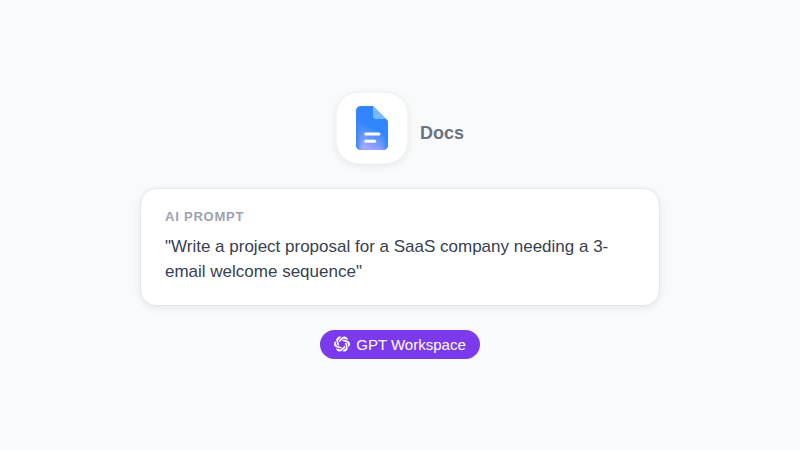
Open a new Google Doc with GPT Workspace active in the sidebar. Type your request like this:
“Write a project proposal for a SaaS company that needs a 3-email welcome sequence. Timeline: 2 weeks. Budget: $1,200. My background: 4 years writing B2B SaaS onboarding emails. Make it confident, specific, and under 600 words.”
The AI generates a complete draft. You read through it, adjust the tone where needed, and add the one or two sentences that show you actually read their brief. Total time: 25 minutes.
Proposal Structure That Works
The proposals that get accepted share a structure: open with the client’s problem (not your credentials), explain your approach, justify your price with specifics, then close with a clear next step.
AI handles this structure because it’s logical and repeatable. Your job is to inject the specific observations that show you understand their business. For the full workflow inside Docs, see how to use ChatGPT in Google Docs.
 Try GPT Workspace
Use ChatGPT, Claude, and Gemini directly inside Google Docs, Sheets, Slides, Gmail, and Drive. No tab switching.
Get Started FreeResponding to Client Emails Without Losing Hours to Your Inbox
Client emails are the second biggest time drain for most freelancers. Three categories take the most time: project status updates, scope change requests, and payment follow-ups.
Status Updates
A weekly status update follows a predictable format: what you completed, what’s in progress, any blockers, what happens next. This is exactly the kind of structured, low-creativity writing where AI saves the most time.
In Gmail with GPT Workspace, describe the key points you want to cover and ask: “Turn these bullets into a professional project status email. Keep it under 150 words. Tone: confident and friendly.”
For a freelancer with 5 active clients, that saves over an hour per week on status updates alone.
Handling Scope Change Requests
Scope creep is a freelance reality. The challenge is responding to “can you just add one more thing?” in a way that’s professional, not defensive. AI helps because it separates you from the emotional load of the message.
Tell the AI what was originally agreed, what the client is asking for, and how much extra work it represents. Ask it to draft a response that acknowledges the request, explains the impact, and offers two options: staying in scope, or adjusting the budget.
You keep the final call on tone. But you don’t have to draft it from scratch. The guide on AI email writing in Gmail has specific prompts for different client situations.
Late Payment Follow-Ups
No freelancer enjoys chasing invoices. AI writes these with the right professional distance. Prompt it: “Write a polite but firm reminder that invoice #23 is 14 days past due, referencing our net-30 agreement.” The result gets the point across without the anxiety of writing it yourself.
Drafting Scope-of-Work Documents and Client Agreements
A scope-of-work document protects both parties. It defines what you’re delivering, when, and at what price. Freelancers who skip it end up with scope creep and payment disputes. Freelancers who spend 4 hours writing it are losing billable time.
Using AI to Build a SOW
Open Google Docs with GPT Workspace and prompt: “Create a scope-of-work document for a freelance web developer. Project: redesign the company website. Timeline: 6 weeks. Deliverables: new homepage, 4 interior pages, mobile optimization. Budget: $4,500. Include a section on what’s out of scope and a revision policy.”
The AI generates a complete draft with all the standard sections. Review it, swap in your specific terms, and send. The whole process takes 30 minutes instead of 3 hours.
What to Always Write Yourself
AI handles the structure. You handle the terms that are actually binding. Don’t let AI decide how many revision rounds you offer or what the cancellation policy is. Those decisions require your judgment. Use AI to draft the framework, then fill in the terms yourself.
Three sections always worth personalizing: revision policy (how many rounds are included, and what counts as a “round”), late payment terms (the percentage you charge on overdue invoices), and intellectual property ownership (who owns the work at each stage of the project).
Tracking Freelance Projects in Google Sheets
Freelancers who track their projects in Sheets know which clients are profitable, which projects run over time, and which service lines deserve more focus. The problem is that building useful trackers from scratch takes time that feels hard to justify.
AI Formula Help in Sheets
In Google Sheets with GPT Workspace, you can generate any formula you need without knowing the syntax. Common examples:
“Write a formula that calculates the number of days between the start date in column B and today’s date.”
“Add a formula in column G that marks a row red if the due date in column F has passed and the status in column E is not complete.”
“Calculate my average hourly rate across all projects in this sheet.”
This is especially useful for freelancers who aren’t spreadsheet power users but want the analytical value without the learning curve. The guide on using AI in Google Sheets covers more formula examples and Sheets workflows.
What to Track
A useful freelance tracker needs six columns at minimum: client name, project name, start date, due date, status, and invoiced amount. That’s enough data to answer “am I hitting my revenue targets?” and “which clients take the most time relative to what they pay?”
Running this review once a month takes about 20 minutes. Most freelancers find at least one insight worth acting on, usually a client that costs more in time than the invoice reflects.
Creating Client Presentations in Google Slides
Some freelancers pitch work in a presentation. Web designers show before-and-after concepts. Consultants present strategy decks. Brand strategists walk through positioning options. For these use cases, Slides with AI assistance reduces deck-building time significantly.
Prompting for Slide Structure
Ask GPT Workspace in Google Slides: “Create a 7-slide pitch deck outline for a freelance brand strategist. Audience: a startup founder looking for brand positioning help. Goal: get them to book a strategy call. Include: problem framing, approach, deliverables, timeline, pricing, and a clear call to action.”
The AI generates the structure and placeholder content. You replace the placeholder text with your actual examples and case studies. This takes an hour instead of half a day.
Adding Your Own Work
AI can’t pull in your portfolio images or real client results. That part is manual, and it should be. The slides that win clients feature specific results: “I helped a SaaS company increase email open rates from 18% to 34% in 6 weeks.” That specificity has to come from you.
Think of AI as handling the scaffolding so you can focus on the content that actually differentiates your pitch.
Try GPT Workspace
Use ChatGPT, Claude, and Gemini directly inside Google Docs, Sheets, Slides, Gmail, and Drive. No tab switching.
Get Started FreeFrequently Asked Questions
What Freelancers Get Back
The math is straightforward. If AI saves 10-15 hours per month on admin, and your billable rate is $75-$150 per hour, that’s $750-$2,250 worth of time freed up each month. Those hours go back into billable work or into the life that made freelancing worth choosing in the first place.
Most freelancers don’t need to hire an assistant. They need to stop writing the same proposal structure from scratch for the fifteenth time. AI handles that. You handle the judgment, the relationships, and the work only you can do.
GPT Workspace takes about 3 minutes to install and works immediately in every Google app you’re already using.