Gemini Skills Replace Gems: What Changes in Google Workspace
Gemini skills start rolling out in Google Workspace on October 5, 2026 and replace Gems. See the dates, how they work, and how GPT Workspace compares.

Drafted with AI, then checked against the current GPT Workspace product.
If you built a Gem for weekly status reports or customer replies, it has an expiry date. Gemini skills are Google’s replacement, and they reach Google Workspace this week.
On September 30, 2026, Google announced skills in the Gemini app and Workspace. They are reusable, custom instructions you can use any time you prompt Gemini in the Gemini app and most Workspace apps.
This guide covers the rollout dates, what happens to your Gems, and how to set skills up. It also shows where GPT Workspace, a Chrome extension and Google Workspace Add-on that puts AI directly inside Docs, Sheets, Slides, and Gmail, handles the same job differently.
What Gemini Skills Are and How They Differ From Gems
A Gem was a saved assistant. You opened it, picked it, and chatted inside it. A skill is closer to a saved instruction you attach to whatever you are already doing.
Google’s October 2 weekly recap describes skills as reusable prompts that guide Gemini, and says they will eventually replace Gems. Press coverage adds that you call a skill by typing a forward slash in the prompt box. Gemini can also pick a relevant skill on its own.
Two practical differences matter. You can stack several skills in one prompt, for example a “brand voice” skill plus a “short email” skill. And skills work across surfaces, so the same idea can live in Docs, Gmail, and the Gemini app.
If you have not set up Gemini’s always-on preferences yet, read our guide to Gemini custom instructions in Google Workspace first. Custom instructions are always on. Skills are the opt-in layer on top.
Gemini Skills Rollout Dates and Who Gets Them
The timeline is staggered, and the details are in Google’s transition guide for admins.
| Date | What happens |
|---|---|
| October 5, 2026 | Skills start rolling out to Workspace on Rapid Release domains |
| October 13, 2026 | Skills start rolling out in the Gemini app |
| October 19, 2026 | Scheduled Release domains begin receiving skills |
| November 17, 2026 | Gems move into Settings in the Gemini app |
| March 1, 2027 | Gems are disabled for business and enterprise accounts |
| June 1, 2027 | Gems are disabled for education accounts |
Google expects both rollouts to finish by mid-November 2026.
In the Gemini app, skills are available to all Workspace customers and personal accounts. In Workspace apps, they cover Business Starter, Standard and Plus, Enterprise Standard and Plus, AI Pro for Education, and the AI Expanded Access add-on. Users must be 18 or older to use skills in Workspace apps.
What Happens to Your Existing Gems
Nothing breaks overnight. But nothing migrates cleanly either, so plan a short cleanup.
When Gems are disabled, Google converts what remains into inactive drafts. The creator has to review and activate each one before it works as a skill. Names, descriptions, instructions, and knowledge files are preserved.
There is one catch that catches teams out. Skills you make in the Gemini app do not automatically appear in Workspace apps, so you recreate them where you need them.
If you use Workspace Studio flows with an “Ask a Gem” step, update those too. We compared that tool in Google Workspace Studio vs GPT Workspace.
How to Set Up Gemini Skills in Google Workspace
Your account may not have them yet, because the rollout is gradual. Once they appear, the flow is short.
Step 1: Pick a repeated task
Choose something you explain to Gemini at least weekly. Good candidates are meeting follow-ups, customer replies, and spreadsheet summaries.
Step 2: Write the skill like a brief
State the role, the input, the output format, and the limits. “You turn raw meeting notes into a follow-up email. Use three bullets for decisions, one line per owner, under 150 words” works far better than “write good emails.”
Step 3: Test it on real content
Run it on a real document or thread. If the output drifts, shorten the skill and remove rules that contradict each other.
Step 4: Rebuild it where you need it
Create the skill in each place you use it. Since Gemini app skills do not appear in Workspace automatically, expect to do this twice for your best ones.
Three Gemini Skills Worth Building First
If you are starting from zero, these three cover most of the weekly repetition. Each one is narrow on purpose.
A meeting follow-up skill turns raw notes into decisions, owners, and deadlines. Give it a fixed length, such as 150 words, so the output is ready to send.
A customer reply skill sets your tone, your sign-off, and one rule about never promising dates. It is the skill most teams use daily in Gmail.
A sheet summary skill reads a table and returns three findings and one risk in plain English. It saves the ten minutes you would spend scanning rows before a status call.
Name each skill after the task, not the person. “meeting-followup” is easier to find after you type a slash than “Sam’s email helper.”
Gemini Skills vs Custom GPTs and Claude Skills
Skills put Google in line with the rest of the market. Anthropic already ships Claude Skills as folders of instructions, and OpenAI has custom GPTs. The name is the same, the scope is not.
Comparison write-ups note that custom GPTs cap instructions at roughly 8,000 characters, while Claude Skills use an open SKILL.md format that other tools read. Google has not published a limit for Workspace skills in the announcement, so test long instructions before you rely on them.
The bigger point is lock-in. A Gem belongs to Gemini, and a skill built in Gemini is still tied to Gemini. For a wider look at the models, see GPT Workspace vs Gemini.
 Try GPT Workspace
Use ChatGPT, Claude, and Gemini directly inside Google Docs, Sheets, Slides, Gmail, and Drive. No tab switching.
Get Started FreeGemini Skills vs GPT Workspace Saved Prompts
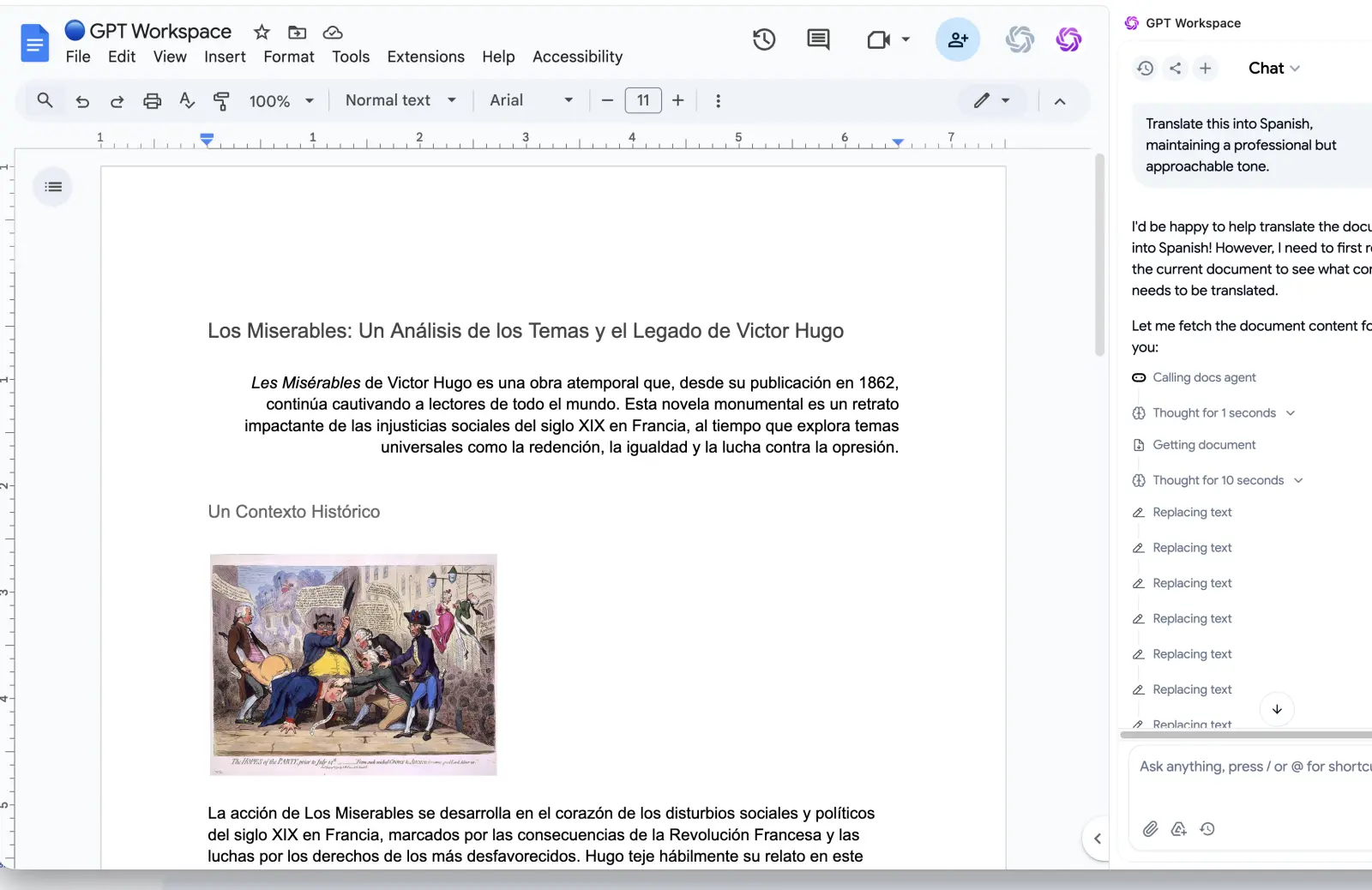
GPT Workspace lives in the same apps but solves the repeat-prompt problem with saved prompts and Marketplace skills you can run on any model. That includes OpenAI models, Claude, and Gemini.
Where Gemini skills win
They know your Workspace data. Gemini can reach into Drive, Gmail, and Calendar, and skills ride on that access. They also need no extra install if your plan includes Gemini.
Where GPT Workspace wins
You choose the model per task. If Claude writes your long-form drafts better and GPT handles your spreadsheet formulas, you do not have to pick one for everything.
Your saved prompts also work on plans and accounts where Gemini features are not included. Our best ChatGPT prompts for Google Workspace are a good starting library.
Governance and sharing
Skills raise a question Gems never did: who owns the prompt? If a team lead builds the best skill, the others still have to recreate it by hand. Google lists admin controls for enabling skills in Studio and Gemini settings, but the announcement does not describe sharing in detail, so check the admin console after rollout reaches your domain.
A Practical Migration Plan
Here is what I would do before March 2027 if I ran a team of ten.
First, list every Gem in use and delete the ones nobody opened in the last month. Most teams find half are dead.
Second, rebuild the five that matter as skills, one task each. Keep them narrow, because stacking small skills beats one giant one.
Third, if you are an admin, enable skills for your organization and tell users about the November 17 and March 1 dates. Then keep a model-agnostic copy of each prompt somewhere you control, so a future rename does not strand your work again.
Frequently Asked Questions
Conclusion
Gemini skills turn the prompts you keep retyping into something you can call with a slash. They also end Gems on a published schedule, so the cleanup is a deadline, not an option.
Audit your Gems this month, rebuild the useful ones as skills, and keep a portable copy of each prompt. If you want the same reusable prompts across models, try GPT Workspace next to Gemini and compare the output on your own documents.