Free Invoice Generator: Create a PDF Invoice in 2 Minutes
Use a free invoice generator to build a PDF invoice in your browser in about two minutes: your details, line items, tax and currency, live preview, no sign-up.

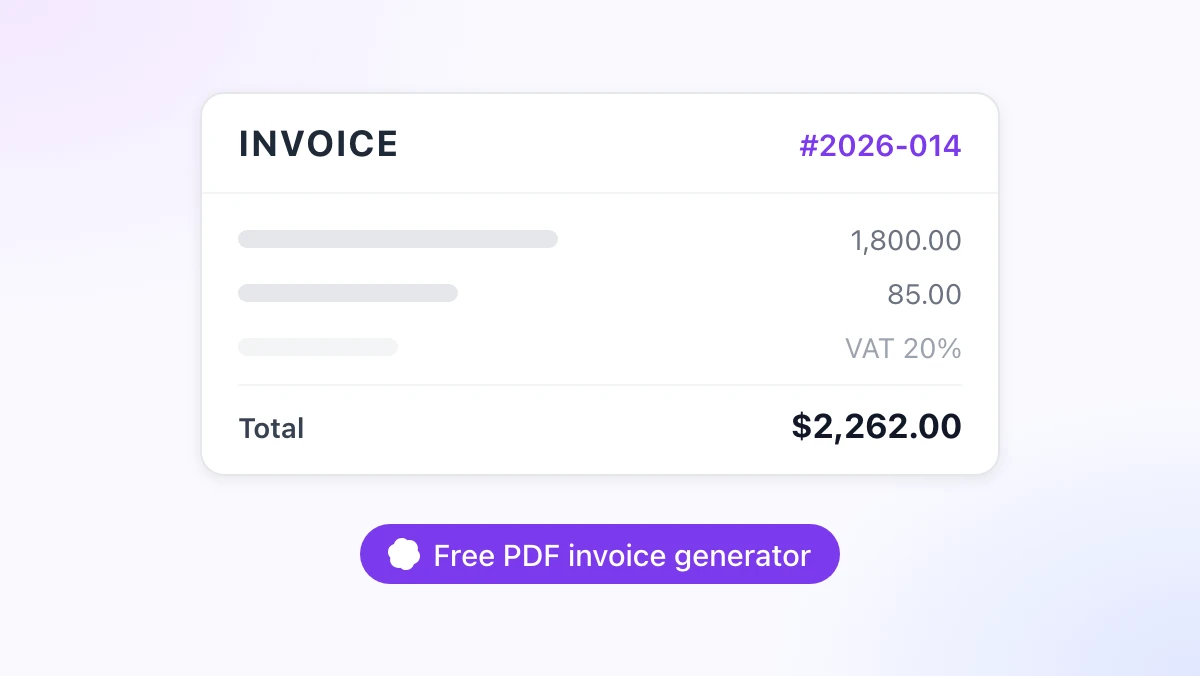
The job is done, the client is happy, and the only thing between you and the money is a document you have not written yet. A free invoice generator turns that into a two-minute task in the browser: type your details and the line items, watch the preview update, download a PDF.
Opening Word, hunting for last month’s file and retyping the address is the slow way. This guide walks through the invoice generator on gpt.space, shows the AI mode that fills the form from one sentence, and explains what to do with the invoice once it is saved.
The tool is built by the team behind GPT Workspace, a Chrome extension that puts ChatGPT, Claude and Gemini inside Google Docs, Sheets, Slides, Gmail and Drive. The generator itself needs no extension and no account.
What a Free Invoice Generator Should Do
Most “free” invoice pages fall into one of two traps. Either the PDF comes with a watermark until you pay, or the download button is behind a sign-up form that then emails you for a year.
The free invoice generator on gpt.space avoids both. There is no account, no watermark and no upload: the form, the preview and the PDF all run in your browser tab, and nothing you type is sent to a server.
That last point matters more than it sounds. An invoice carries your address, your client’s address, your bank details and your prices, which is exactly the data you do not want sitting in a stranger’s database.
Here is what the page gives you:
- Your business details, the client’s details, an invoice number and two dates
- Line items with quantity, unit price and an automatic amount
- A tax rate (VAT, GST or sales tax) applied to the subtotal and shown on its own line
- A currency picker that formats every amount, from USD and EUR to INR and JPY
- A live preview and a Download PDF button
Create an Invoice Online Free: Step by Step
Two minutes is a real number if you have the client’s details to hand. Here is the full run.
Step 1: Open the generator
Go to the invoice generator. It loads as a two-column page: the form on the left, the preview on the right (stacked on a phone).
Step 2: Fill in your details
Enter your business name, address and email. If you are a sole trader, use your own name plus any trading name, since several countries ask for both on an invoice.
Step 3: Add the client
Type the client’s company name, contact and address. For a business customer in the EU or UK, add their VAT number too, as the reverse-charge rules depend on it.
Step 4: Set the number and dates
Give the invoice a unique, sequential number such as 2026-014, then set the issue date and the due date. A unique number is a legal requirement in the UK and the EU and a practical one everywhere else, as explained in what to include on an invoice.
Step 5: Enter line items, tax and currency
Add one row per service or product: description, quantity, unit price. The amount column, the subtotal, the tax line and the total update as you type, and switching the currency reformats all of them at once.
Step 6: Check the preview and download
Read the preview once as if you were the client. Then click Download PDF, choose “Save as PDF” as the destination in the print dialog that opens, and save the file.
The print dialog is the same one Chrome uses for any page, so the same tips apply as in our Markdown to PDF guide: keep the default margins, and switch off headers and footers if your browser adds a URL line.
AI Mode: Describe the Job in One Sentence
Typing line items is the slow part when the work was a mix of days, hours and expenses. AI mode replaces that with a sentence.
Switch to AI mode and write what you did, for example: “3 days of design work for Acme at $600/day, 20% VAT, due in 14 days.” The generator turns that into a line item for three days at 600, sets the tax rate to 20 percent and puts the due date two weeks from today.
You can be as specific as you like. “Two logo concepts at 450 each, one round of revisions at 300, plus 85 in stock photos, no tax” becomes three rows and a zero tax line.
Everything the AI fills in stays editable. Treat it as a fast first pass, then correct a price or rename a line in the normal form before you download.
 Try GPT Workspace
Use ChatGPT, Claude, and Gemini directly inside Google Docs, Sheets, Slides, Gmail, and Drive. No tab switching.
Get Started FreeFree Online Invoice Generator vs Word, Excel and Invoicing Apps
A browser generator is not the only option, and it is not always the right one. Here is how it compares with the three alternatives people usually reach for.
| Option | Setup | Totals and tax | Cost | Best for |
|---|---|---|---|---|
| Free online invoice generator | None | Automatic | Free | One-off and occasional invoices |
| Word or Google Docs template | Copy a template | Typed by hand | Free | Branded layouts you edit often |
| Excel or Google Sheets | Build formulas once | Automatic | Free | Many invoices per month, client lists |
| Invoicing app | Account, bank link | Automatic | Usually a subscription | Recurring billing, reminders, accounting sync |
Word and Docs win on layout control but lose on arithmetic: every total is a number you typed, and a wrong one costs you a resend. Spreadsheets fix the maths and scale to dozens of clients, which is why how to make an invoice as a freelancer covers a Sheets setup with automatic totals.
Invoicing apps earn their fee once you need automatic reminders, card payments on the invoice or a feed into your accounts. Until then, a free invoice maker that produces a clean PDF covers the job.
After the Download: Sending, Tracking and Repeat Invoices
The PDF is the easy part. What happens next decides whether you get paid on time.
Send it with a short, clear email
Attach the PDF and keep the message to three lines: what the invoice covers, the amount, the due date. If the client’s accounts team needs a purchase order number, put it in the subject line as well as on the invoice.
If you write a lot of these, GPT Workspace drafts replies and follow-ups inside Gmail from a one-line prompt. Our AI email writing guide for Gmail has prompts for the polite reminder at day 30 and the firmer one at day 45.
Keep a record
Save the PDF in a folder named by year, and log the number, client, amount and due date in a spreadsheet. That log is what you will check when a client says they already paid, and what your accountant will ask for in April.
In Google Sheets, the GPT Workspace sidebar can clean up that list for you, split “Acme Ltd, London” into two columns, or draft a summary of outstanding invoices. See how to use AI in Google Sheets for the formulas and prompts.
Repeat invoices in Google Docs
For a client you bill every month, a Google Doc template beats re-entering the form. Install the extension, open a Doc, and ask the sidebar to “draft an invoice for Acme for October: 12 hours of consulting at $150, 20% VAT, due in 30 days”, then adjust the hours each month and download as PDF.
Install GPT Workspace in Chrome, or read the reviews on the Chrome Web Store listing first. The invoice generator stays free either way.
Frequently Asked Questions
Conclusion
A free invoice generator should do one thing well: turn your details and line items into a correct, clean PDF without asking for an account. Open the tool, fill in the form or describe the job in AI mode, check the preview, and download.
Once the PDF is saved, send it with a short email, log it in a sheet, and let GPT Workspace handle the repeat invoices in Google Docs and the reminders in Gmail. Getting paid starts with getting the invoice out the same day.